April 2026 Product Update
Eight updates across compliance screening, identity verification, and platform administration — all aimed at helping you do more inside BNDRY without bouncing between tools.
Big month. We’ve shipped eight updates across compliance screening, identity verification, and platform administration — all aimed at helping you do more inside BNDRY without bouncing between tools.
Verify Australian ID documents directly in BNDRY
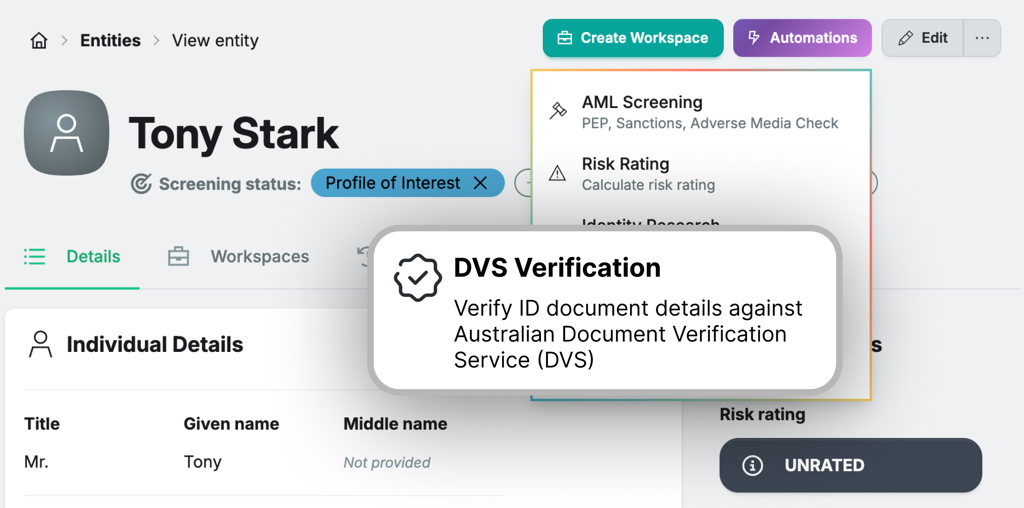
You can now verify ID documents — passports, drivers licences, Medicare cards, birth certificates, and more — against official government records, right inside BNDRY. No more switching to a separate tool and syncing results back. Add the ID document details to an entity, run the Document Verification automation, and you’re done. Contact us to enable it for your tenant.
AML screening now covers companies and trusts
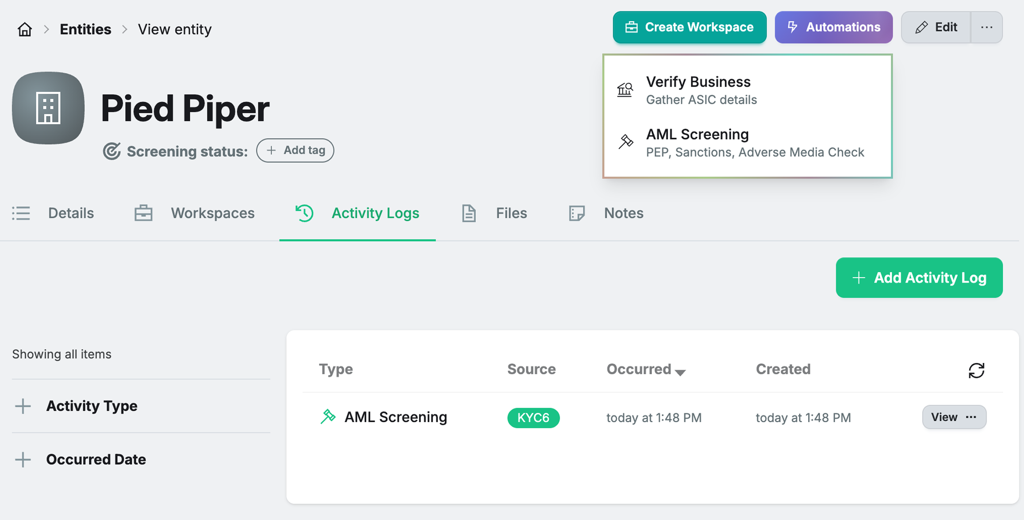
AML screening has been extended beyond individuals to cover company and trust entities. Run a screening automation against any business entity and BNDRY will check it against Adverse Media, Sanctions, Regulatory Enforcement, and State-Owned Enterprise datasets — and flag any links to PEP individuals.
Richer AML screening results — more signal, less noise
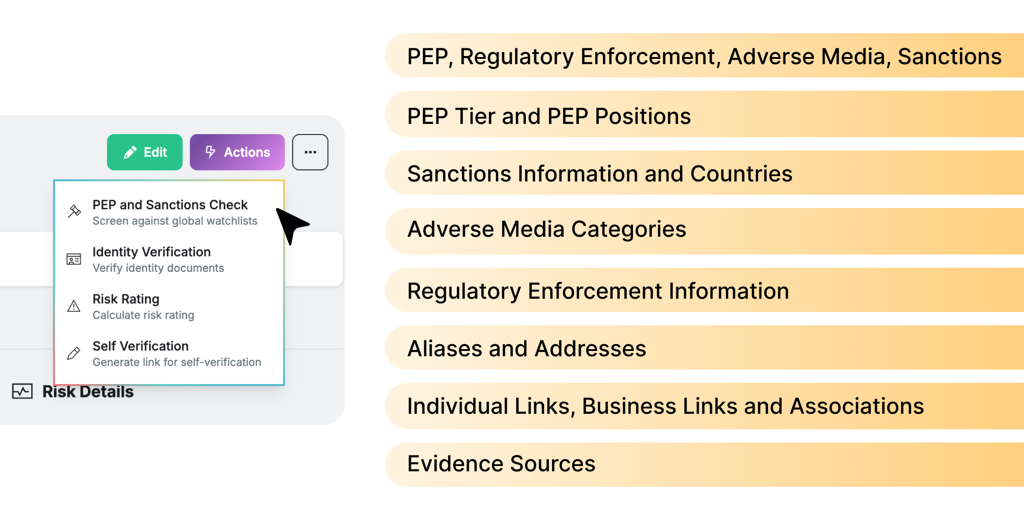
The AML screening results display has been overhauled. Matches now surface significantly more detail: positions held, individual and business links, addresses, regulatory enforcement history, aliases, and clearly sourced online evidence.
Custom Fields — track what matters to your organisation
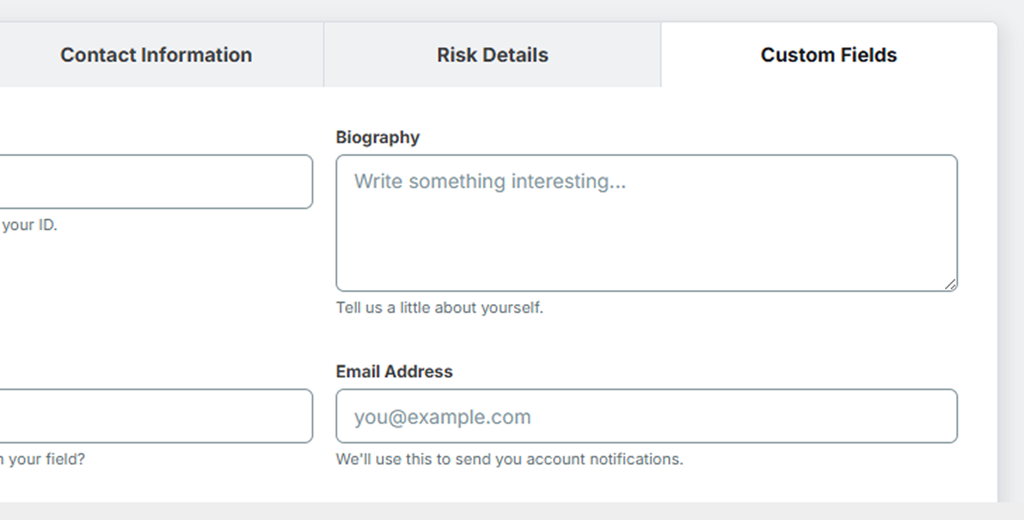
BNDRY’s entity data model is now extensible. Define your own fields across any data type — dates, text, dropdowns, checkboxes — and group them into named sections on the entity profile. Contact us to configure Custom Fields for your tenant.
Filter Activities by date
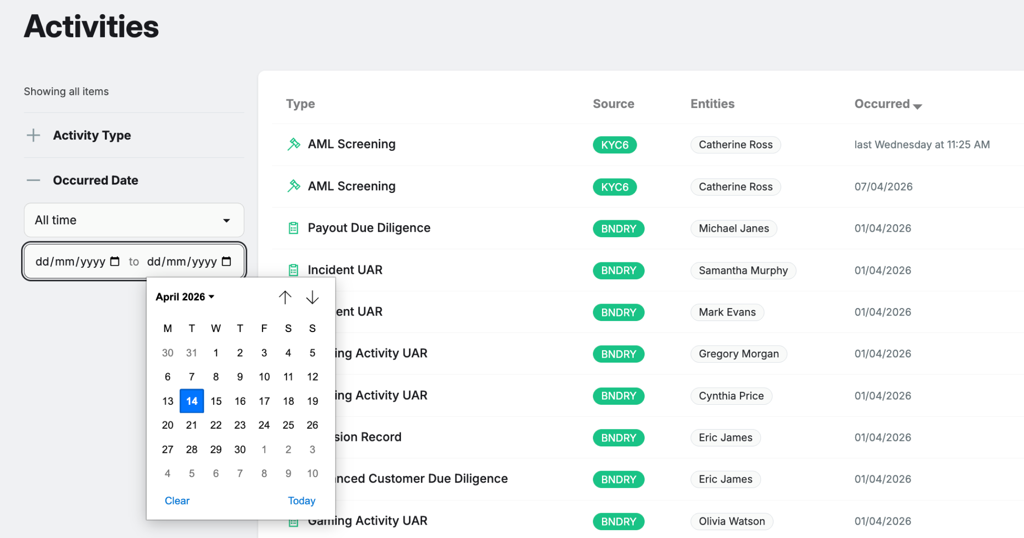
The Activities tab now has a date filter. Get a single chronological feed of everything logged across BNDRY and slice it by any time window — last week, last month, or any specific historical range.
A better external portal for collecting third-party information
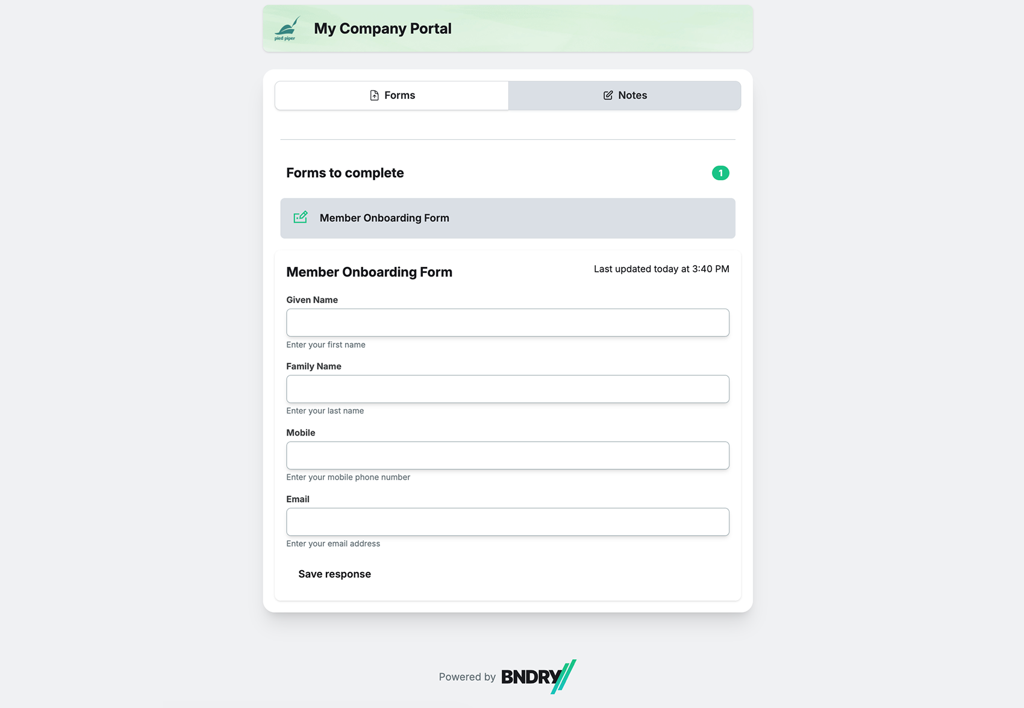
The external portal has been revamped. Sharing a Workspace with a partner, customer, or external party is now smoother — generate a temporary access link, choose exactly which forms you want them to see, and set an expiry time.
Under the hood
Filter for Employees in Entities list — You can now filter specifically for Employees in the Entity list for a focused view of your customers only.
General bug fixes — Fixes to role access to prevent unexpected errors, and addressed ‘fatal’ validation errors that can happen when creating Entities.